If you’re coming from Texmaker — as I did, after ten years — almost everything you know transfers. This guide maps your Texmaker habits to their texspark equivalents, plus the handful of things that work differently (usually: automatically).
The mental model
One thing changes: texspark has no “master document” mode. Instead, you mark a tab as the build target (🔨), and it stays the build target across sessions until you clear it. Same idea, less ceremony — you set it once, not once per session.
Keyboard mapping
| You did this in Texmaker | Do this in texspark |
|---|---|
| Quick Build (F1) | ⌘B |
| Define Master Document | ⌘⇧P (or double-click the tab) |
| View Log | Log tab in the bottom panel (⇧⌘Y toggles) |
| Structure panel | Outline in the left sidebar |
| PDF forward search | ⌘⇧↩ |
| PDF inverse search | ⌘-click |
| Clean auxiliary files | ⌘⇧⌫ |
| Find / Replace | ⌘F / ⌘R |
Setting up your existing project
- Open your project’s main file — drag it (or the whole folder’s files) onto texspark, or ⌘O
- Mark it as the build target: ⌘⇧P or double-click its tab. A 🔨 appears
- Pick your build command: Preferences (⌘,) → Compile. If you used Texmaker’s Quick Build with xelatex, choose the xelatex template — or chain steps with
&&(e.g.xelatex {file} && makeindex {filename} && xelatex {file}) - Build: ⌘B from anywhere — any chapter, any sub-file. It always compiles the build target

That’s the whole migration. Your .tex files don’t change at all.
What works differently (better, mostly)
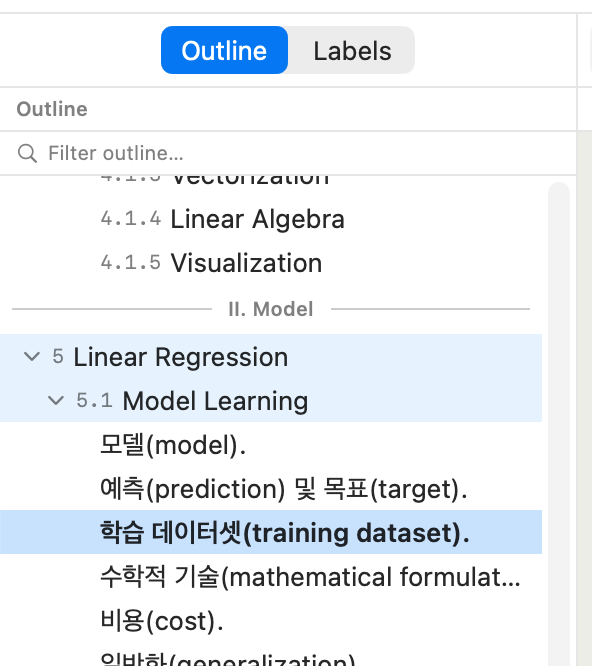
- The outline covers the whole project. Texmaker’s Structure panel shows each open file separately; texspark’s outline follows every
\input/\includefrom the build target as one tree — including files you haven’t opened - Sub-files find their parent. ⌘-click in the PDF into a chapter file, and that chapter’s parent automatically becomes the build target. No re-declaring
- Sessions restore completely — tabs, cursor positions, the build target, panel layout. Quit and relaunch mid-thesis without ceremony
- No built-in \paragraph limit. The outline goes all the way down (I patched Texmaker’s source once to get \paragraph support; here it just works)
What Texmaker has that texspark doesn’t
Honesty section: Texmaker is free, runs on Windows and Linux, and has years of maturity. If you work across platforms, keep it — your files are identical either way, so you can even use both.
Try it with your real project
The 14-day trial is the full app — open your actual thesis or book, set the build target, and see if ⌘B from chapter 4 feels as good as I think it does. texspark.io/download
Leave a Reply